
Walk into a production area and, at first glance, you can't tell which machines are running, which are struggling, and which one just stopped. The data exists — every PLC generates it — but it stays trapped inside the machine. The result: downtime you discover too late, scrap, maintenance done “when it breaks.”
Quadro solves exactly this: it pulls data from the machines you already have and displays it in real time, with an AI that warns you before a failure happens. Let me show you — and let you try it.
Try it: the factory control panel
Before the details, touch it. This is the shop-floor view: every machine at a glance. Click a card to drill into the detail, move the controls, simulate a reel change or a web break.
Step 1 — It connects to the machines you already have
The core principle is to replace nothing. Quadro speaks the industrial standards — OPC-UA, Modbus, MQTT— and reads data from your existing PLCs: speed, temperature, pressure, counts, status. Machines that were “silent” or running on 1990s HMIs become a live data source, without touching the hardware.
Step 2 — Every machine, at a glance
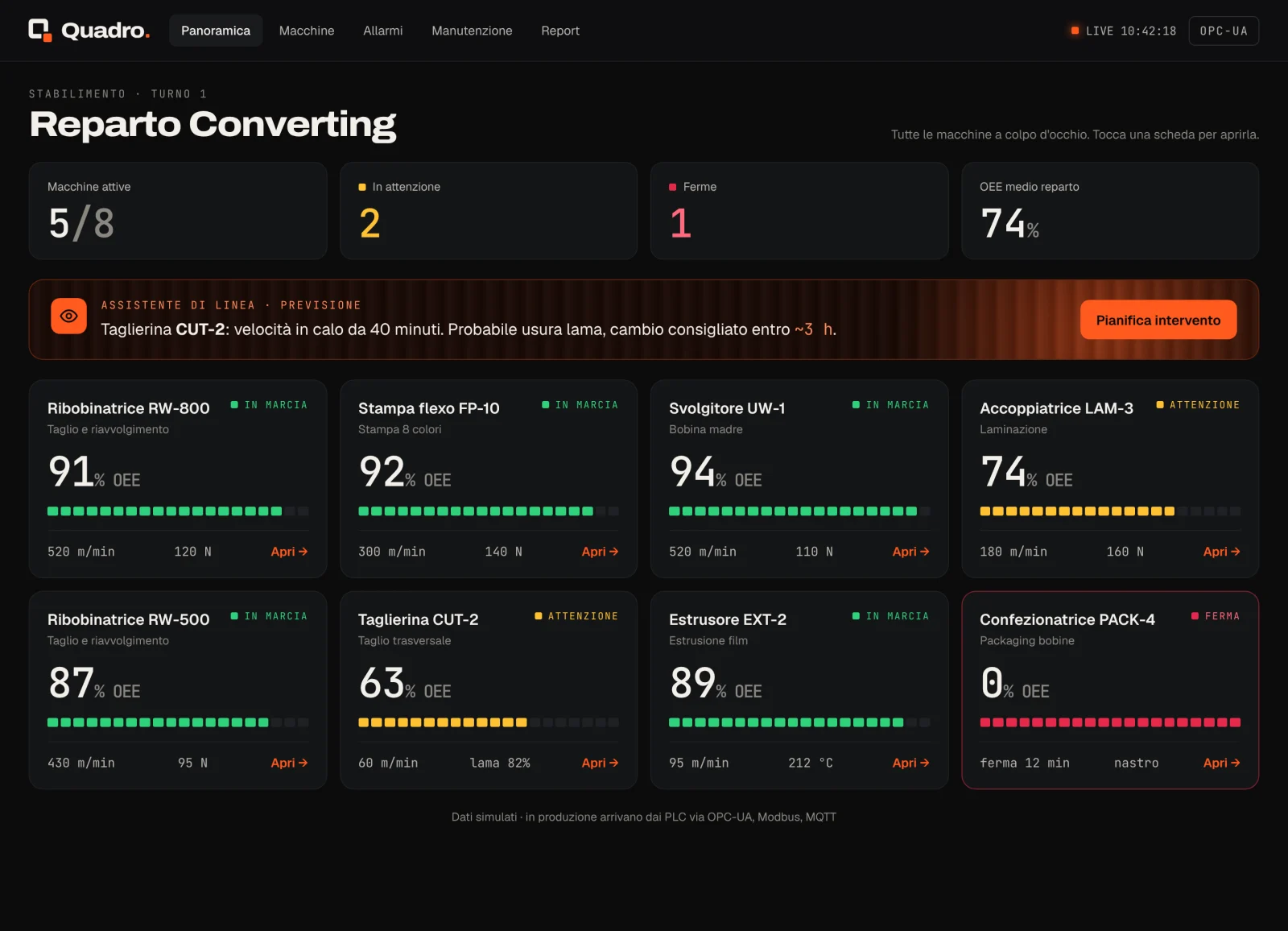
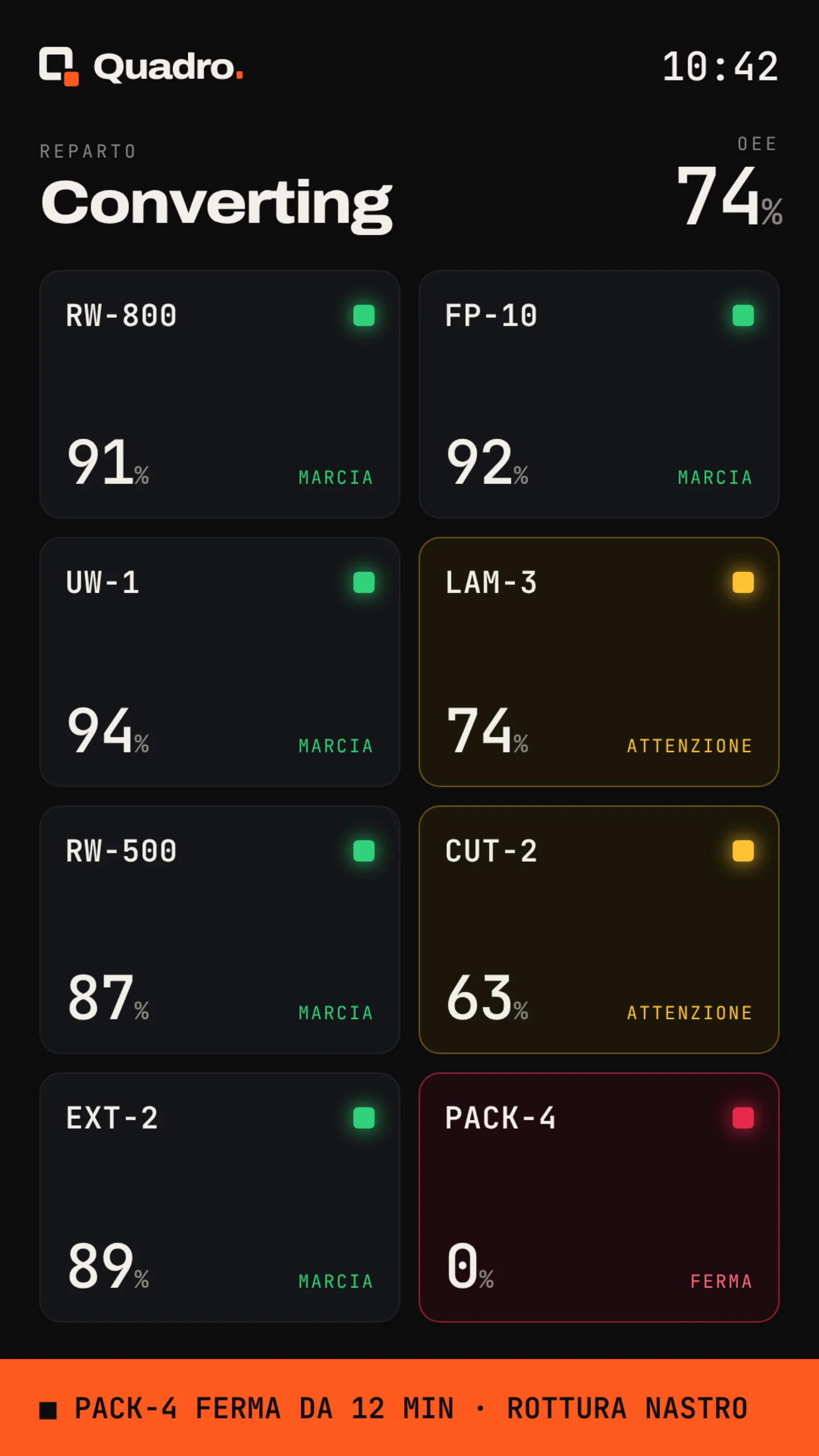
The shop-floor view shows the status of every machine using the three universal factory signals — running, warning, stopped — along with the OEE(the efficiency index) and live production counts. Drill into a machine and you get the real parameters on gauges and charts: line speed, web tension, reel diameter. It's the same information that today is scattered across ten different panels, brought into one place.
Step 3 — The AI warns you before the machine stops
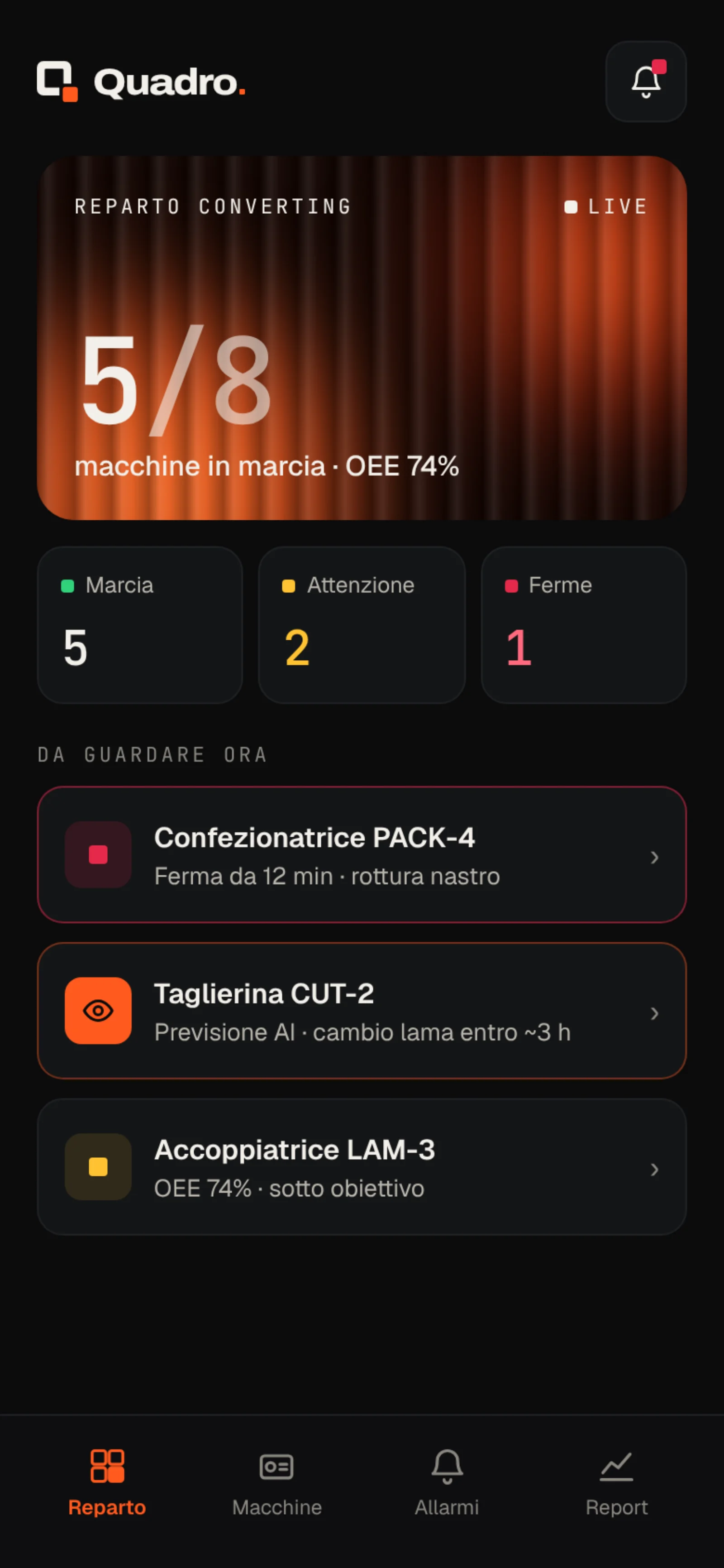
This is where the real leap happens. Quadro doesn't just show what is happening now: it analyses trends and flags what is about to happen. “Slitter CUT-2: speed declining for 40 minutes, likely blade wear, replacement recommended within ~3 h.” Maintenance becomes predictive instead of reactive: you plan the downtime when it suits you, not when the machine decides to break down.
Access it from wherever you need
The same dashboard lives anywhere it is needed: full-screen web app in the office, tablet on the machine floor, totem in the production area, and mobile — so the plant manager can check the factory from home on a Sunday evening.
What about your shop floor?
Quadro focuses on converting (reels, rewinders, printing), but the pattern — read the PLCs → display everything in real time → let the AI warn you before a failure — is the same for any manufacturing environment:
- Plastic moulding: presses, cycles, mould temperatures, scrap.
- Machining: CNC centres, tooling, wear, OEE.
- Extrusion and packaging: continuous lines, stoppages, format changes.
- Any shop floor with machines that generate data and nobody watching it.
Frequently asked questions

A dashboard like this for your factory?
Quadro is one of the things I build: custom industrial products that do a precise job. If you have machines generating data and nobody looking at it in real time, it can almost always be done. Take a look at the other work in the Lab, or send me a message on LinkedIn and we'll figure out together where to start.
See the Quadro project