
SaaS stands for Software as a Service: instead of installing a program, you use it in the browser and usually pay a subscription. Gmail is a SaaS, so are Canva and Notion. The upside is that you manage nothing yourself; the downside is that you play by someone else's rules. So the real question is: when does it make sense to build your own?
When building your own SaaS is worth it
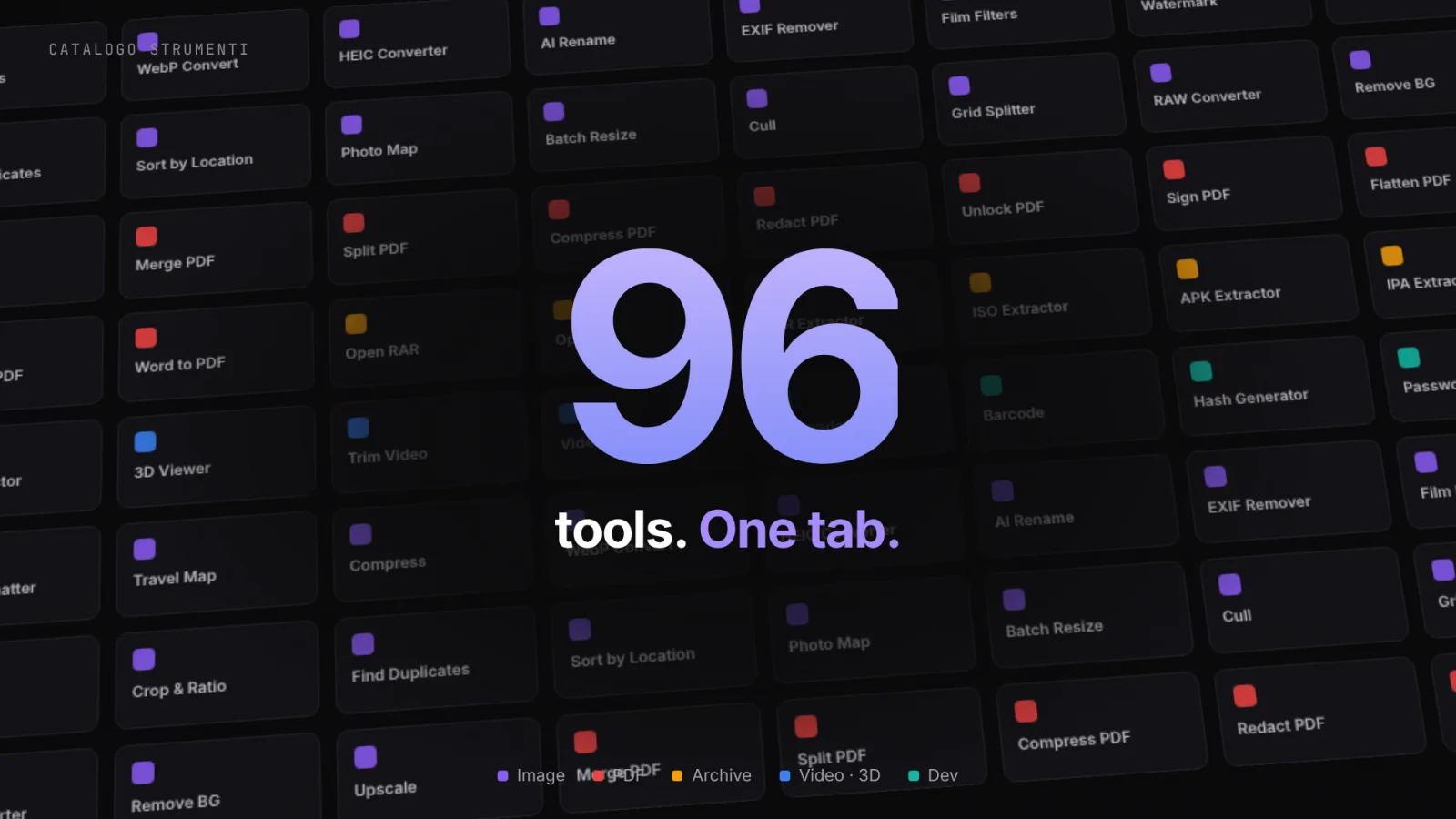
Three scenarios, in practice: when existing tools don't do exactlywhat you need; when you want an edge that's hard for competitors to copy; or when the product isthe business. SammaPix came from the first case: I wanted to work with files without uploading them to unknown servers — something online tools simply didn't offer. That constraint became 96 tools, all running inside the browser.
The built-in edge: files never leave your computer
The core of SammaPix is client-side processing: thanks to WebAssembly, the same algorithms that normally run on a server run directly in your browser. When you drag a file in, it isn't “uploaded” anywhere — it stays on your device. “We never see your data” stops being a line in a privacy policy and becomes a verifiable technical fact — open your browser's network tab and check for yourself. I wrote more about this in the browser-based image tools privacy guide.
96 tools, one tab
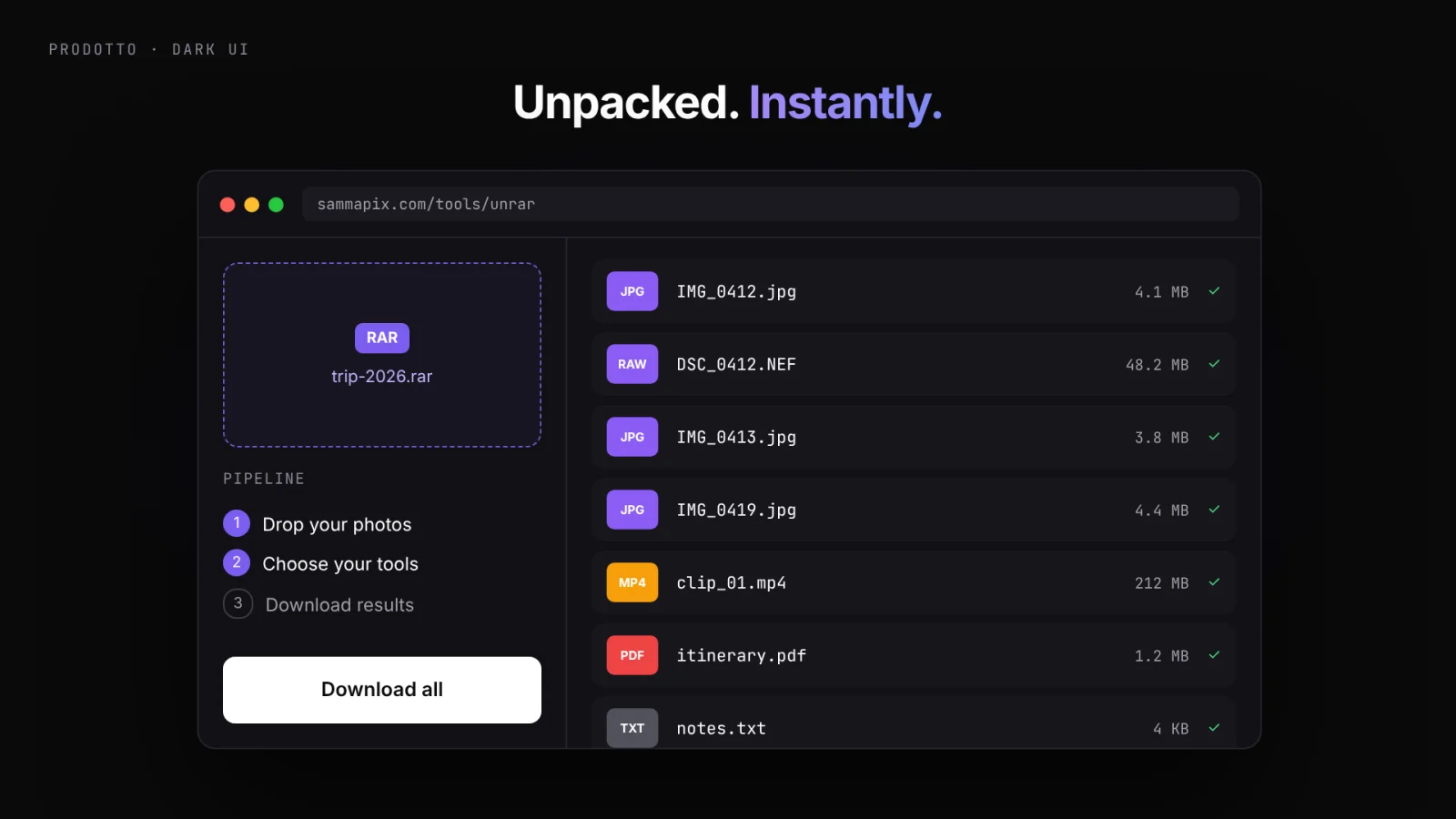
Images, PDFs, archives, RAW files, EXIF metadata, even conversions aimed at developers — all in a single interface, with no jumping between sites. Drag, pick a tool, download. The design challenge was keeping 96 functions tidy and non-intimidating: a few steps, no fuss, immediate results.
Free for everyone, Pro when you scale
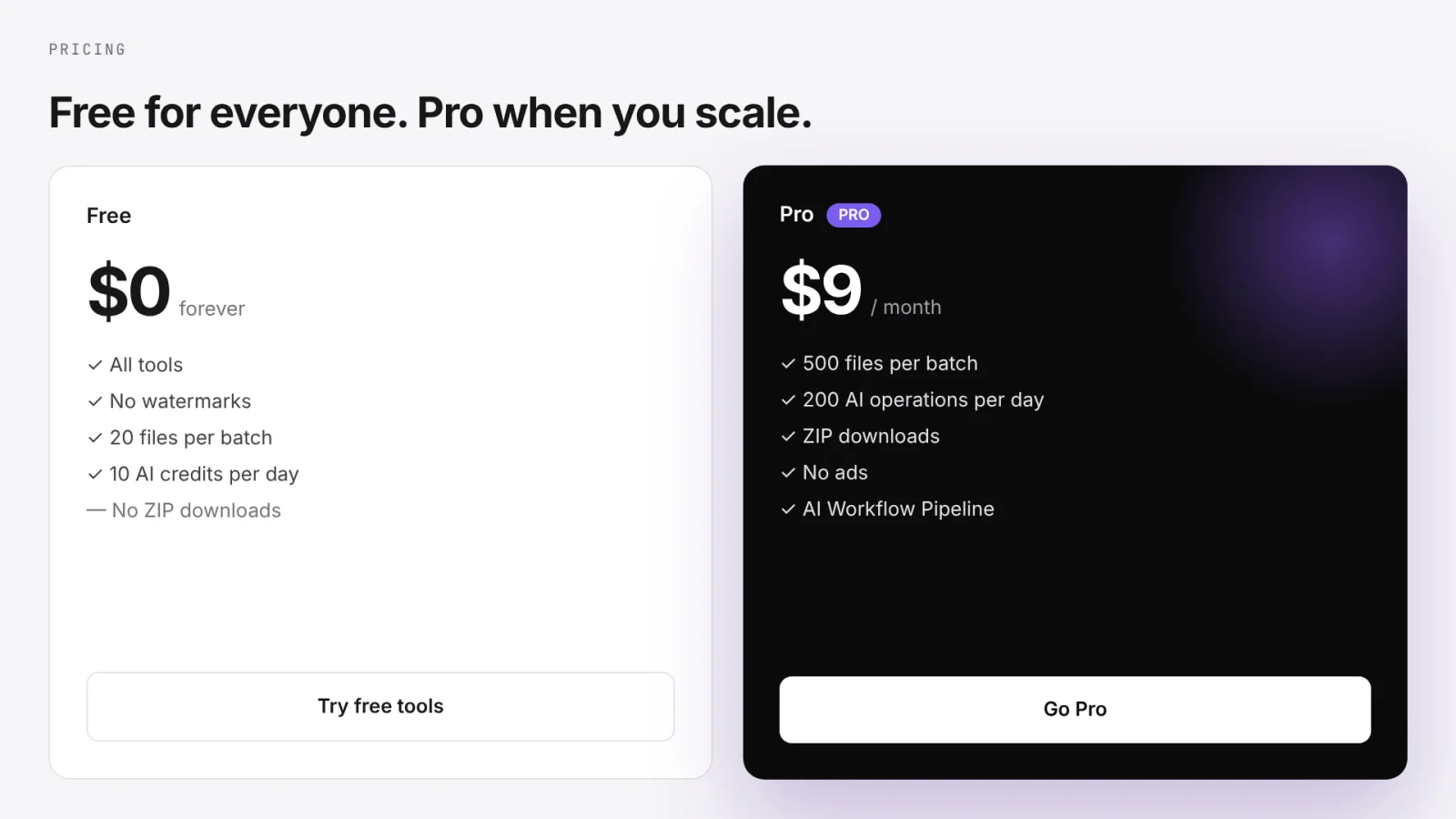
No watermarks, no mandatory sign-up to get started. The free plan covers everyday use; Pro kicks in when you're working at serious volume. There's also a browser extension and part of the code is open source. On the product side — just like the BeBud e-commerce — accounts, payments, and SEO were built together from the start, not bolted on afterwards.
What “zero upload” actually means
It means speed — no waiting for a file to upload or download from a server. It means many tools work offline. And it means privacy you don't have to take on faith: it's baked into the architecture. For me it's proof that a product can be convenient and respectful at the same time — and that it can grow every day with one new tool at a time.
There's the full SammaPix project, or browse the other work in the Lab.
See the SammaPix project